
One shared inbox for WhatsApp Business.
Answer enquiries, collect quote details and follow up with customers from the same workspace. Use your existing number or add a new one.
First month free. From £19 a month.
- Keep your existing number, if it is eligible
- Keep using the WhatsApp Business app
- One shared team inbox
- AI replies you control
- Forms inside WhatsApp
- Slack and Microsoft Teams alerts
- Enquiries sent to your CRM
WhatsApp for your whole team.
Give customers the same high standard of service, whoever replies. A shared chat history gives your team the details they need to help.
Maya Ellis
+44 7700 900142
Replying from Sales +44 20 7946 0321
Enquiry alerts in Slack or Microsoft Teams.
When a new WhatsApp enquiry arrives, Oakready can post it in the channel your team already watches. One press opens the chat.
See the Demoenquiries
New WhatsApp enquiry
Enquiries
Oakready
New WhatsApp enquiry
- From
- Maya Ellis
- Line
- Sales
Hi! Could I get a quote for a patio clean?
Open in OakreadyAI replies, on your terms.
Choose for each number: off, a draft for your team to check, or a reply sent for you. You write the notes the AI answers from.
See the DemoWhat the AI may tell customers
Open Monday to Friday, 9 am to 5 pm. This Friday we have appointments at 2 pm and 3:30 pm.
What your team sees
Sam Patel
+44 7700 900268
Replying from Bookings +44 20 7946 0958
What your customer sees
Keep enquiries moving.
A busy phone can leave customers waiting.
of UK buyers surveyed would turn to a competitor after a slow reply to an online enquiry about a major purchase.
Invoca’s 2026 UK buyer surveyEach reply carries the name of the teammate who sent it.
Get the details up front.
Build forms your customers fill in inside WhatsApp. See a sample quote request.
What your customer sees
What your team sees
The button your customer taps to open the form.
One place for your contacts.
Upload and manage your customer contact lists in one place.
2 sample contacts
| Name | Marketing |
|---|---|
| Maya Ellis | Opted in |
| Sam Patel | No opt-in |
See at a glance who has agreed to marketing.
Reach people who opted in.
Send offers and updates to customers who have agreed to hear from you. WhatsApp approves each campaign message before it goes out, and calls an approved message a template.
New slots next week
1 eligible contact with marketing opt-in
Maya Ellis
Only contacts who opted in are included.
Forms your customers fill in inside WhatsApp.
WhatsApp calls them Flows. Your customer taps a button in the chat, answers a few questions and sends them back, without leaving WhatsApp.
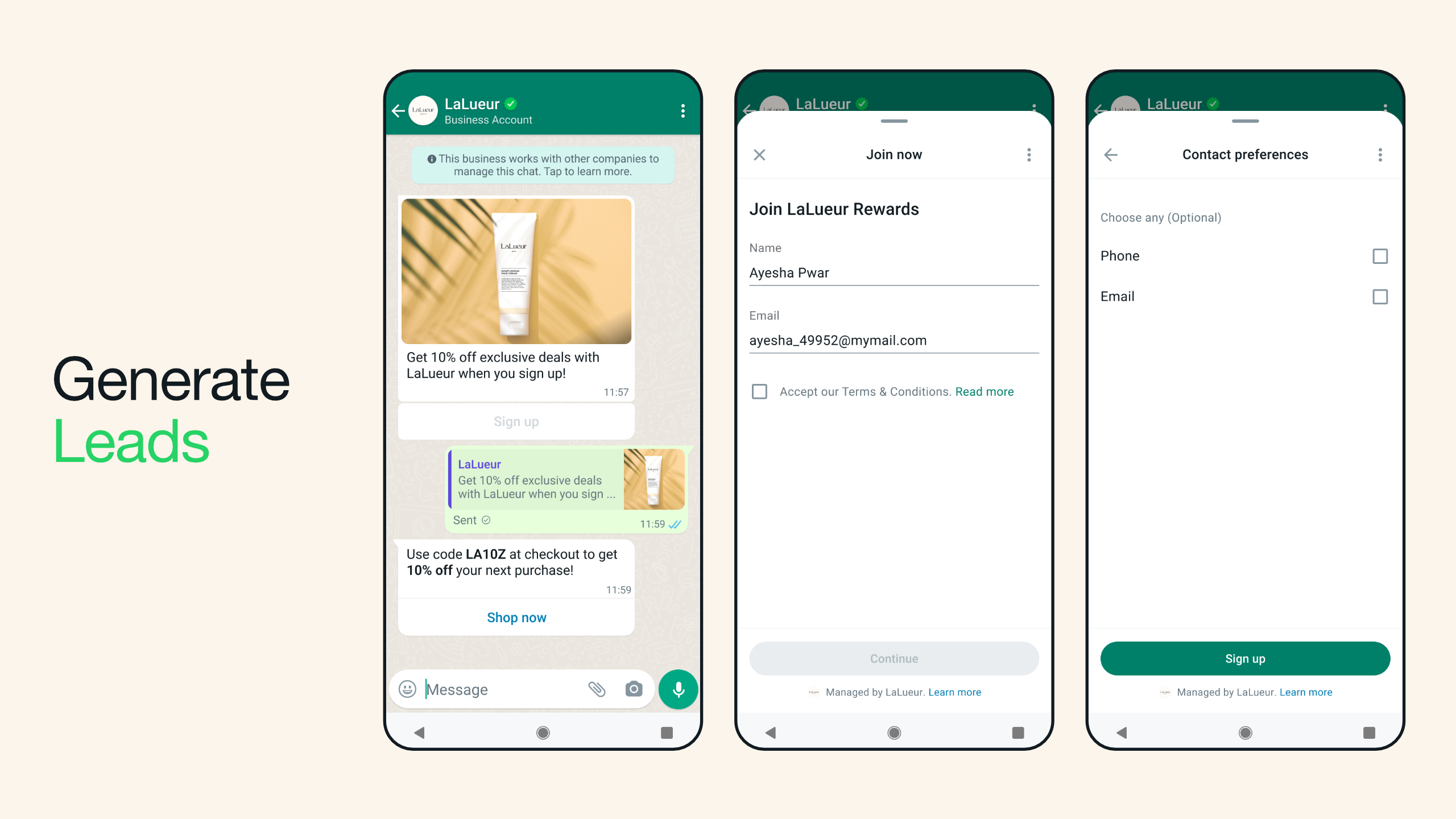
Build one in Oakready
You make the form in your Oakready account. There is nothing to code.
Add your questionsChoose short text, a list of choices or a date, and mark the ones that must be answered.
Preview it on a phoneSee the form as your customer will, before anyone receives it.
Send itIn reply to a customer who has written to you, or as the button on an approved campaign message.
Read the answersThey arrive in the same conversation, for your whole team to read.
How it works
Use the WhatsApp Business number you have, or connect a new one. We guide you through connecting it to Oakready.
WhatsApp Business app
Oakready inbox
Tell us about your number
Say whether you have a WhatsApp Business number already or need a new one.
Connect it, with our help
We guide you through connecting the number to Oakready.
Your team starts replying
Customers write to the same number. Your team answers from the shared inbox. If you connected a number you already use in the app, you can still reply to one-to-one messages there.
Send new enquiries to your CRM.
Hand off all of your WhatsApp enquiries to your CRM through a webhook using your favourite automation tool.
See the DemoOakready sends the details
- New enquiry
- Form completed
- Conversation closed
- event
- enquiry.created
- line
- Sales
- name
- Maya Ellis
- number
- +44 7700 900142
- message
- Hi! Could I get a quote for a patio clean?
Your automation tool receives them

- Zapier

- Your own system
Your CRM gets the lead
New leadNew
Maya Ellis+44 7700 900142
- Source
- WhatsApp, Sales
- Note
- Patio cleaning quote
Created just now
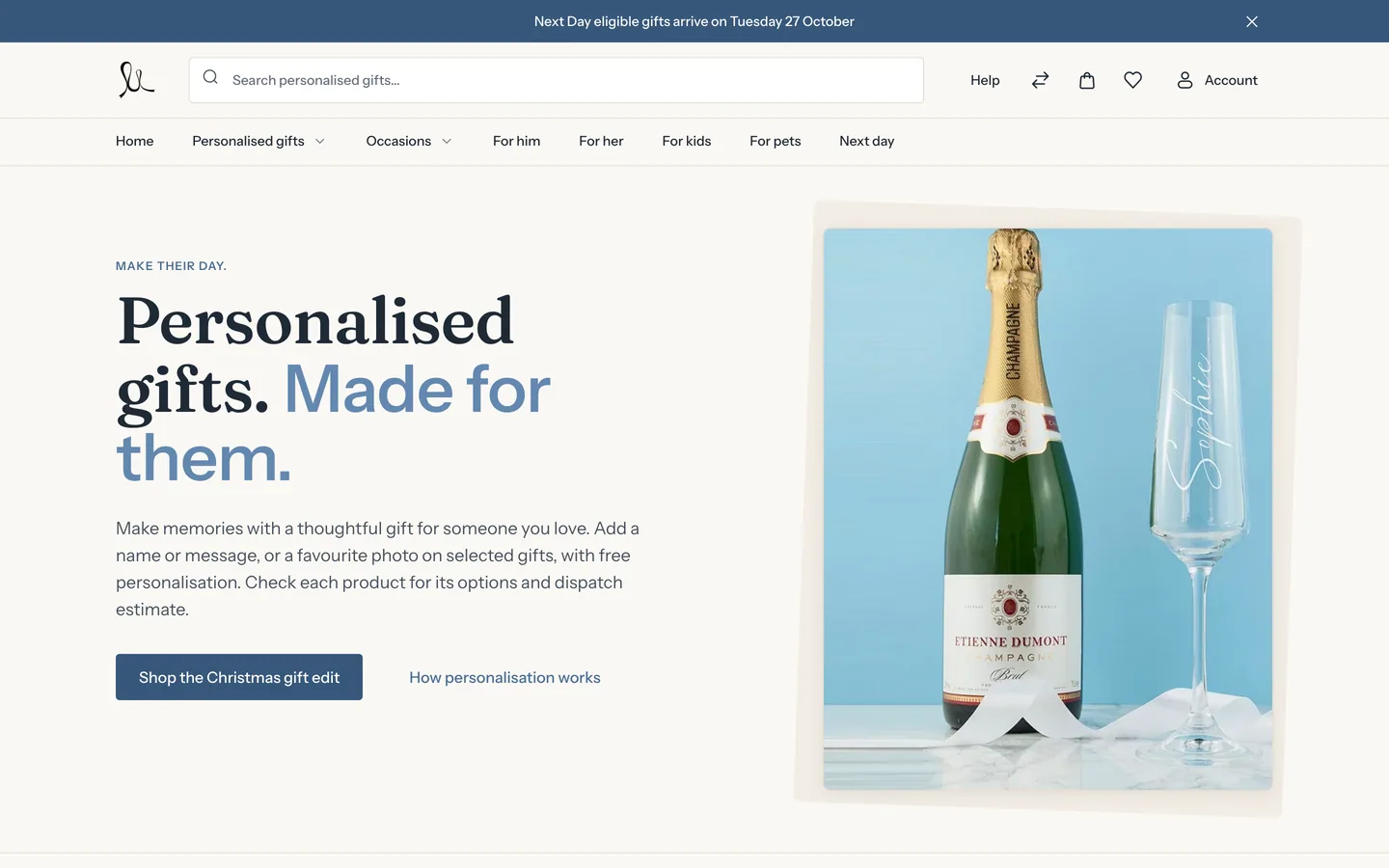
Case study: Make It Your Way
Make It Your Way has sold thousands of personalised gifts and handles many pre and post purchase enquiries.
- The problem
- “Do you do gift wrap?” “What’s my tracking number?” “Can I return my item?” Pre & post purchase enquiries that need ‘instant’ replies.
- What changed
- AI WhatsApp now handles thousands of enquiries through the OakReady platform. Increasing conversions and lowering staff count.
- 53%of enquiries auto-handled by AI
- 38%increase in conversions
What our customers say
Our WhatsApp used to live on my phone, my mum’s phone and a prayer. Now the whole team sees every order and nobody’s answering ‘sorry, just seen this’ three days later.
Priya Nair
Three of us share the inbox and we’ve stopped ringing each other to ask who replied. The AI draft gets most of the way there which is class.
Danny Whitlock
Love the WhatsApp flows and AI replies - top drawer
Sam Okafor
Simple pricing.
One monthly price for your team. Your first month is free.
Placeholder prices. Plans, prices and what each includes are not final.
First month freeYour first month on any plan is free. Meta’s own message charges still apply.
Starter
For a small team on one number.
£19 a month
First month free
- 1 WhatsApp number
- 3 team members
- 500 AI replies and suggestions a month
- AI suggested replies for your team to check
- AI answers from your documents and web search
- Flows, quick replies and templates
Most popular
Team
For a team sharing one inbox.
£39 a month
First month free
- 2 WhatsApp numbers
- 10 team members
- 2,000 AI replies and suggestions a month
- Everything in Starter
- AI auto-reply
- Campaigns
- Slack and Microsoft Teams alerts
- Webhooks for your CRM
Business
For several numbers and teams.
£79 a month
First month free
- 5 WhatsApp numbers
- Unlimited team members
- 10,000 AI replies and suggestions a month
- Everything in Team
| What you get | Starter£19 | Team£39 | Business£79 |
|---|---|---|---|
| WhatsApp numbers | 1 | 2 | 5 |
| Team members | 3 | 10 | Unlimited |
| AI replies and suggestions a month | 500 | 2,000 | 10,000 |
| Shared team inbox | Included | Included | Included |
| AI suggested replies | Included | Included | Included |
| AI answers from your documents | Included | Included | Included |
| AI web search | Included | Included | Included |
| Flows, quick replies and templates | Included | Included | Included |
| AI auto-reply | Not included | Included | Included |
| Campaigns | Not included | Included | Included |
| Slack and Microsoft Teams alerts | Not included | Included | Included |
| Webhooks for your CRM | Not included | Included | Included |
Not included
- Your own numberYou bring the phone number, or buy one from your phone provider.
- Meta WhatsApp chargesMeta charges for some messages. You pay Meta directly at Meta’s rates, and Oakready adds nothing.
- Extra AI replies£5 for every 1,000 over your plan’s allowance.
- Your automation toolMake, Zapier, n8n or your CRM bill you themselves.
Frequently asked questions
Yes, if your WhatsApp Business number is eligible. We’ll guide you through connecting it to Oakready so customers can reach you on the same number and you can keep replying to one-to-one messages in the app.
See Oakready in action.
Try it with sample chats or ask us for a walkthrough.
Try the sample inboxNeed a custom build?
Sell through Shopify or your own website? We can build a connection so replies can use your real customer and order details. Tell us what you use and we will tell you what we can do.
Ask about a custom build